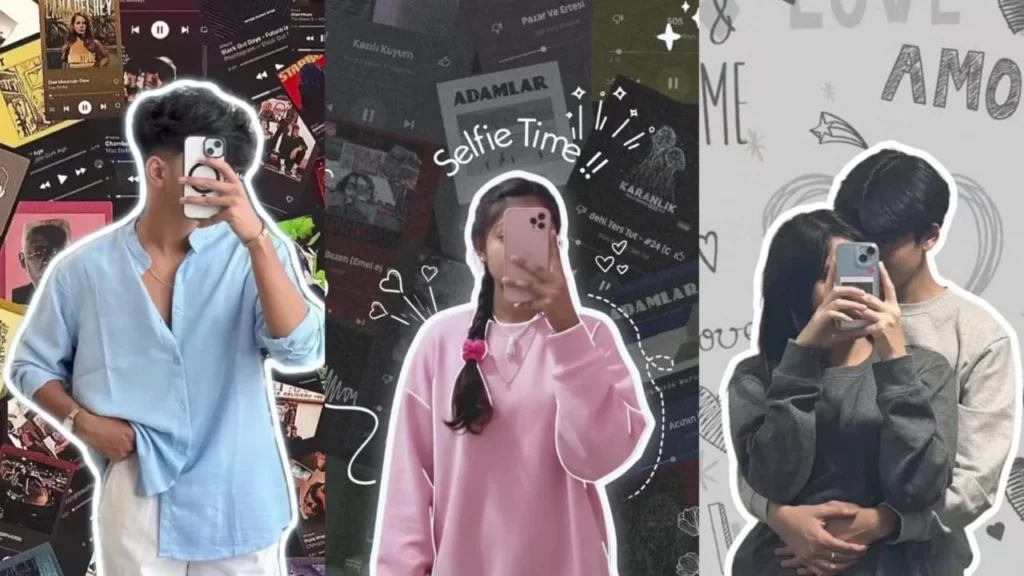
Introduction
In today’s digital world, photo editing has gone far beyond simple filters and brightness adjustments. Thanks to Google’s Gemini AI, editing photos has become an exciting, artistic, and highly personal experience. From retro transformations to 3D figurine portraits, Gemini’s powerful AI tools are reshaping how people enhance and share their images online.
What Is Gemini AI Photo Editing?
Gemini AI is Google’s advanced artificial intelligence model designed to understand both text and images. One of its most popular uses right now is AI-powered photo editing. With just a few words or prompts, users can completely transform a photo—turning a normal selfie into a cinematic portrait, a traditional festive look, or even a lifelike 3D figure.
The official name for this feature is Gemini 2.5 Flash Image, but it’s better known by its playful nickname “Nano Banana”. Unlike traditional photo-editing apps, Gemini doesn’t require any technical skills. You simply upload a clear image, describe the look or style you want, and the AI does the rest in seconds.
Why Is Gemini Photo Editing Trending?
Gemini’s editing features have become a viral sensation on social media platforms like Instagram, TikTok, and X. Here’s why everyone’s talking about it:
- Easy to Use – No need for Photoshop or editing experience. A simple prompt can create professional-looking results.
- Creative Freedom – You can experiment with endless styles—from dreamy retro themes to modern cinematic shots.
- Personal Connection – Trends like “Hug My Younger Self” allow users to blend nostalgia and creativity in touching, emotional ways.
- Social Media Appeal – The edits are visually stunning, making them perfect for posts, profile pictures, and digital storytelling.
- Massive Popularity – Users have generated over 500 million images using this feature, and Gemini has gained more than 10 million new users in just a few weeks.
Popular Gemini Photo Editing Trends
Here are some of the top Gemini AI editing trends dominating the internet right now:
1. Retro Saree Look
Users are turning casual selfies into elegant vintage-style portraits with warm tones and classic attire. This trend has been especially popular in India.
2. 3D Figurine Edits
Known as the “Nano Banana” trend, this style turns your photo into a collectible toy-like figure. It started in Thailand and quickly spread across the world.
3. Hug My Younger Self
This heartwarming trend lets users create images of their present selves embracing their childhood versions. It’s a nostalgic and emotional style that has touched millions.
4. Vintage Polaroid Edits
Transform your photos into faded polaroid-style shots with a retro feel and classic white border.
5. Festival Edits
From Dussehra to Diwali, Gemini helps users create traditional, colorful festive portraits with marigolds, diyas, and rangoli.
6. Cinematic Portraits
Transform your photo into a dramatic movie-poster shot with perfect lighting and background.
How to Use Gemini AI for Photo Editing
You can try Gemini’s editing features directly through Google’s Gemini app or web interface. Here’s a quick guide:
Step 1: Upload a Clear Photo
Use an image with good lighting and minimal background distractions.
Step 2: Enter a Prompt
Describe what you want. For example:
“Transform this photo into a 1990s Bollywood film look with soft light and a dreamy background.”
Step 3: Generate the Edit
Let Gemini process your request and wait for the result.
Step 4: Refine if Needed
You can adjust colors, tones, or add finishing touches.
Step 5: Share Your Creation!
Post it on social media using trending hashtags to join the global conversation.
Ready-to-Use Gemini Prompts
Here are some popular prompts you can copy and paste:
For Hug My Younger Self:
“Take a photo taken with a Polaroid camera. The photo should look like an ordinary photograph, without an explicit subject or property. The photo should have a slight blur and a consistent light source, like a flash from a dark room, scattered throughout the photo. Don’t change the face. Change the background behind those two people with white curtains. Make it look like both the people in the reference picture are hugging each other.”
For 3D Figurine Effect:
“Create a 1/7 scale commercialised figure of the character in the photo. The style should be realistic, with clearly defined features, and placed in a real-world environment. The figure should be positioned on an office desk, standing on a round transparent acrylic base with no text.”
For Vintage Saree Look:
“Edit my photo into a 1950s Bollywood star in a red saree with cinematic lighting and a dreamy background.”
For Portrait Retouching:
“Retouch this portrait with natural skin smoothing, balanced lighting, improved facial clarity, and realistic skin texture. Avoid overprocessing or plastic-looking skin.”
For Background Replacement:
“Replace the background with a clean minimalist studio backdrop while preserving natural edges and hair details.”
Pro Tips for Best Results
- Use high-resolution images for cleaner, more realistic edits
- Keep your prompt detailed but concise—describe style, mood, and background
- Specify what to preserve—for example, “Don’t change the face” or “Keep the original facial features intact”
- Try different lighting and poses to see how Gemini interprets your image
- Combine AI editing with manual touch-ups for a more natural finish
- Always respect privacy when editing or sharing photos of others
Important Things to Know
Watermarking
All images created or edited with Gemini Nano Banana are tagged with visible watermarking and Google’s invisible SynthID watermark to indicate AI-generated content.
Privacy Considerations
Gemini relies on user-uploaded images, and Google’s terms permit these to be used for training future AI models. Experts have raised concerns about privacy and potential misuse. Always be mindful when uploading personal photos.
Limitations
While Gemini is powerful, some users report that facial features can occasionally be altered or distorted under dramatic edits. The “looks like you” consistency is good but not perfect.
Download Backgrounds & Create Your Photo
Click Here to Download All Backgrounds
Final Thoughts
Gemini AI photo editing is transforming the way we see and share ourselves online. It blends technology with creativity, allowing anyone to produce artful, eye-catching, and deeply personal images. As new trends continue to emerge, one thing is clear—AI-powered editing is not just the future; it’s happening now.
Whether you’re a content creator, photographer, or just someone who loves sharing aesthetic photos online, Gemini photo editing opens a world of possibilities.
Start experimenting with these prompts today and create your next viral AI masterpiece!