
What Is a Photo Generation Prompt?
A prompt is simply the text instruction you give an AI model to generate an image. Think of it as directing a photographer—except the photographer is artificial intelligence. You tell the AI what you want to see, and it creates it for you.
A basic prompt might look like:
“A sunset over mountains”
But a strong prompt goes much further:
“A cinematic sunset over snow-capped mountains, golden hour lighting, ultra-realistic, shot with a 50mm lens, high dynamic range”
The difference in results can be dramatic. The more details you provide, the better your image will turn out.
Why Are Photo Prompts So Important in 2026?
AI image generation has exploded in popularity this year. Everyone from Instagram creators to professional designers is using AI tools to create stunning visuals. But here’s the thing – the quality of your output depends almost entirely on the quality of your prompt.
Think of it like this: if you ask a chef to “make food,” you’ll get something basic. But if you say “make a spicy Italian pasta with fresh basil and garlic bread,” you’ll get something amazing. Same goes for AI prompts.
The difference between a generic image and a viral-worthy masterpiece is in the details. That’s why learning to write good prompts is so important.
Key Elements of a Great Prompt
To get the best results, your prompt should include several important components. Let me break them down for you:
1. Subject
Clearly define what you want in the image. Be specific about who or what should appear.
- A person, object, landscape, or concept
- Example: “A young woman reading a book”
- Be more specific: “A young woman with long dark hair reading a vintage book”
2. Style
Specify the artistic direction you want. This completely changes the look and feel of your image.
- Realistic, cinematic, watercolor, digital art, anime, etc.
- Example: “in a soft watercolor style”
- Other options: “photorealistic,” “oil painting,” “sketch,” “3D render”
3. Lighting
Lighting dramatically affects mood and realism. This is one of the most important elements.
- Golden hour, studio lighting, neon glow, dramatic shadows
- Example: “warm golden hour lighting”
- Other options: “moody shadows,” “soft diffused light,” “dramatic backlight”
4. Camera Details (Optional but Powerful)
Mimicking photography terms improves realism significantly.
- Lens type, depth of field, focus
- Example: “shot on 85mm lens, shallow depth of field”
- Other options: “wide angle,” “macro lens,” “fisheye effect”
5. Environment / Background
Where is the scene taking place? The background sets the context.
- Indoors, outdoors, futuristic city, beach, forest
- Example: “in a cozy café with wooden interiors”
- Be specific about details like weather, time, and atmosphere
6. Mood and Atmosphere
Add emotion or tone to your image. This helps create a connection with viewers.
- Calm, mysterious, vibrant, dreamy
- Example: “a calm and peaceful atmosphere”
- This is what makes your image memorable
Example: Basic vs Advanced Prompt
Basic Prompt:
“A cat sitting on a chair”
Advanced Prompt:
“A fluffy orange cat sitting on a vintage wooden chair, soft morning sunlight coming through a window, cozy home interior, ultra-realistic, shallow depth of field, warm tones”
The second version provides context, mood, and visual richness—leading to a much better image. The difference is night and day.
Prompt Formulas You Can Use
Here are simple templates you can follow. These work for almost any type of image you want to create:
Formula 1: General
Subject + Style + Lighting + Environment
Example:
“A futuristic city skyline, cyberpunk style, neon lighting, rainy night”
Formula 2: Photography Style
Subject + Camera + Lighting + Mood
Example:
“Portrait of an elderly man, 85mm lens, soft studio lighting, dramatic shadows, highly detailed”
Formula 3: Creative Art
Concept + Style + Color Palette + Emotion
Example:
“A dreamlike floating island, surreal art style, pastel colors, magical atmosphere”
Formula 4: Cinematic Scene
Subject + Action + Environment + Lighting + Film Style
Example:
“A woman running through a wheat field, sunset lighting, cinematic, film grain, 35mm look”
Tips for Better Results
Be Specific
Vague prompts produce generic images. Instead of saying “a beautiful girl,” say “a beautiful girl with long black hair wearing a red dress.” Every detail matters.
Use Descriptive Adjectives
Words like “cinematic,” “ultra-detailed,” “photorealistic,” or “minimalist” help guide the AI. These keywords tell the AI exactly what quality level you expect.
Experiment
Small changes can lead to very different outputs. Don’t be afraid to try different words and see what happens. Sometimes changing just one word transforms the entire image.
Layer Details Gradually
Start simple, then refine your prompt. Add more details step by step until you get the result you want.
Avoid Overload
Too many conflicting details can confuse the model. Keep your prompt focused and clear.
Include Quality Keywords
Words like “8K,” “HDR,” “high resolution,” and “sharp focus” always help improve image quality.
Common Mistakes to Avoid
❌ Being Too Vague
Saying “a nice picture” tells the AI nothing. Always be specific about what you want.
❌ Mixing Too Many Styles
Avoid asking for “realistic anime watercolor 3D sketch.” Pick one style and stick with it.
❌ Ignoring Lighting and Mood
These elements make your image feel professional. Never skip them.
❌ Expecting Perfect Results in One Try
AI generation sometimes needs multiple attempts. Regenerate if you’re not happy with the first result.
❌ Forgetting Aspect Ratio
Always specify the ratio: 4:5 for Instagram, 9:16 for Reels, 16:9 for YouTube.
❌ Not Using Negative Prompts
Tell the AI what you DON’T want. For example: “no blur, no extra fingers, no distorted face.”
Advanced Prompting Techniques
Use Artist References
Name specific photographers or artists for style inspiration.
“In the style of Annie Leibovitz”
Reference Specific Cameras
This tells the AI exactly what quality to aim for.
“Shot on Canon EOS R5, 50mm lens”
Mention Film Types
Film references add authentic texture.
“Kodak Portra 400 film stock, slight grain”
Use Lighting Terms
Professional lighting vocabulary helps create realism.
“Rembrandt lighting, key light from left, soft fill light”
Detailed Prompt Example: Scrapbook Collage Style
Here’s a complete prompt you can use right now:
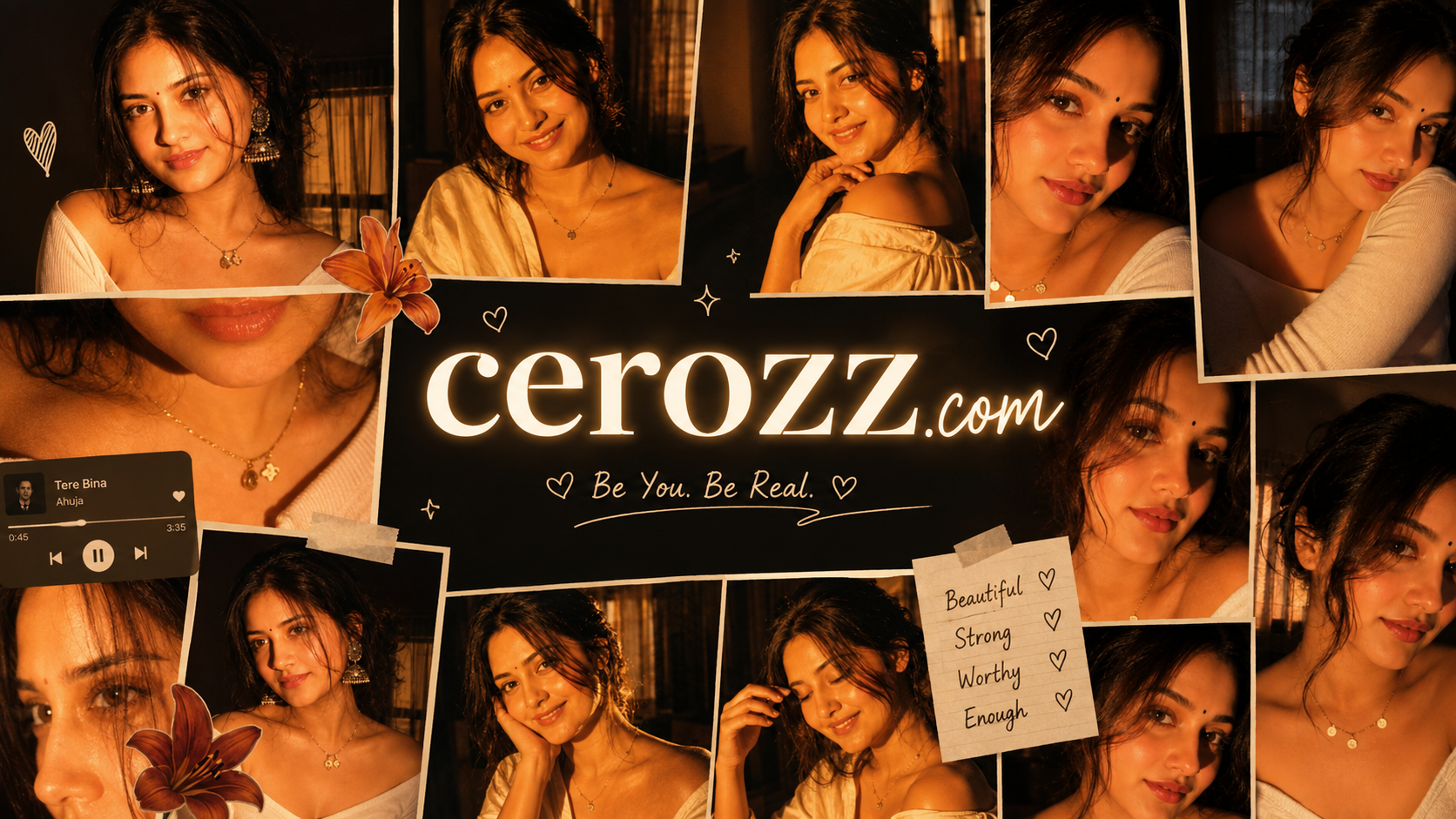
Ultra-realistic cinematic collage of a young woman using the uploaded face exactly. The image is composed of multiple rectangular photo panels layered vertically and diagonally, creating a scrapbook-style layout. Each panel shows close-up and mid-shot portraits of the same girl in a dim indoor room.
Lighting: strong, warm, golden-orange direct flash lighting hitting the face from the front-left, creating high contrast, deep shadows, and a glowing skin effect. Background remains dark with visible window curtains slightly illuminated. Harsh highlights on cheekbones, nose, and lips.
Slight film grain and soft blur for a dreamy vintage feel. Color grading: intense amber, burnt orange, and golden tones dominating the entire image. High saturation, slightly crushed blacks, and glowing highlights.
Subject styling: messy tied-back hair with loose strands falling on face, glossy lips, subtle eyeliner, dewy skin. Wearing a delicate necklace with small pendants and a casual off-shoulder white top.
Composition details: Top panel: serious expression, looking directly at camera. Middle panel: cropped lips and necklace close-up. Bottom left: extreme close-up of eyes with strong shadow split across face. Bottom right: angled portrait with soft side gaze. Panels overlap slightly with uneven spacing for aesthetic collage look.
Overlay elements: Add realistic flower stickers (lilies in orange, cream, and red tones) placed around the collage. Add a music player UI card in the center-left area with a soft rounded design. Music player text: Title: “Khat” Artist: “Navzot Ahuja” Include minimal playback bar and icons (play/pause, skip).
Final touches: Slight glow/bloom effect on highlights, subtle vignette around edges, flash photography look like taken on a digital camera at night. Maintain natural skin texture, avoid over-smoothing.
Best AI Tools for Photo Generation in 2026
| Tool | Best For | Price |
|---|---|---|
| ChatGPT DALL-E 3 | Overall best, realistic results | Free/Paid |
| Google Gemini | Natural photography style | Free |
| Midjourney v6 | Cinematic fine art | Paid |
| Leonardo AI | Vertical format, fabric detail | Free tier |
| Bing Image Creator | Quick results for beginners | Free |
How to Choose the Right AI Tool
ChatGPT DALL-E 3
Best for overall quality and realistic face generation. Works great for all types of prompts.
Google Gemini
Perfect for natural photography style and Indian faces. Completely free with Google account.
Midjourney v6
Highest artistic quality. Best for cinematic and fine art results. Requires paid subscription.
Leonardo AI
Excellent for vertical 9:16 format and detailed fabric textures. Has a free tier.
Final Thoughts
AI image generation is as much an art as it is a tool. The quality of your output depends heavily on how well you can communicate your vision through prompts. It takes practice, but anyone can learn it.
With practice, you’ll learn how to craft prompts that consistently produce stunning, high-quality visuals—whether for blogs, social media, marketing, or personal projects.
Start simple, experiment often, and refine your approach. The more intentional your prompts, the more powerful your results will be.
Remember: the AI is a tool, not a mind reader. The more guidance you give it, the better it performs. So don’t be shy about adding details. Every word matters.
Start creating amazing images with these prompts today!